
|
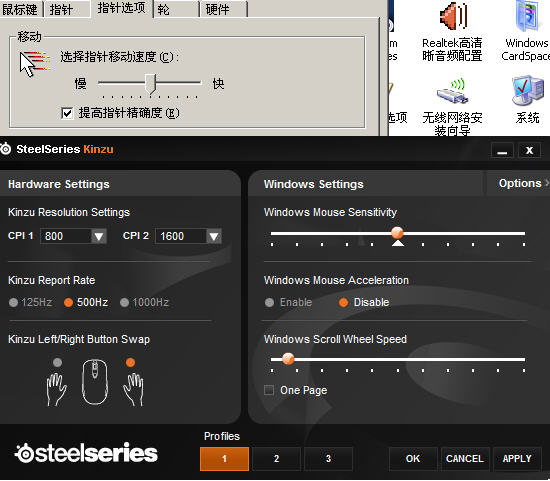
这个其实没必要研究,要研究可以写篇论文出来。。。 加速度其实你可以理解成和物理学里面类似的概念,就是你移动鼠标时,光标的速度不是恒定的,而是有个逐渐加速的过程,同样,停下来时会有个减速的过程,这个过程其实很短暂也不是很明显,但在游戏中,这种细微的感觉可能就比较明显,如果把windows中的提高指针精确度钩上,就会有这个作用,这个又跟微软windows鼠标移动的计算方式有关系(关于这个,真的没必要研究),有些人会觉得这个作用越大,鼠标会更灵活,但有些则觉得越小,鼠标的动作越真实,越准。 至于期间的具体公式,计算方法,量化方法真的没必要搞清楚了吧,也不是那么容易搞清楚的。。搞清楚了应该就可以去研发鼠标了,而且有些计算方法微软也不会公开阿。。 |

|
Interesting information there, and using it I was able to calculate the scalars that windows uses to control pointer speed. If you're using a setting that's not 6, then the table that follows shows what you need to multiply your in-game sensitivity by to use the correct setting and not change your overall sensitivity in CS:S. 0.03125 0.0625 0.25 0.5 0.75 1. 1.5 2. 2.5 3. 3.5 To use this, take your current CS:S sensitivity such as 4.5, find what windows tick you have been using, lets say 4, multiply 4.5 by that setting's value, in this case, .5. Now I can set my windows CP to the proper 6, use 2.25 in game, and keep the overall in-game sensitivity untouched. |

 组图打开中,请稍候......
 分享
分享 收藏
收藏 微信分享
微信分享


